
Download Kindle Converter – convert Kindle books, DRM-free eBook, Mac eBook tool, Amazon Kindle, EPUB, PDF, TXT, DOCX
Overview
Epubor Kindle Converter is a specialized productivity tool designed to simplify the process of converting Kindle eBooks into DRM-free formats such as PDF, EPUB, AZW3, TXT, and DOCX. The application enables users to transform their Amazon-purchased books into universally compatible formats, enhancing accessibility across multiple devices and platforms. This is particularly valuable for readers who wish to read their purchased content outside the Amazon ecosystem or on non-Kindle devices.
The app targets Mac users seeking a streamlined solution to manage their digital libraries. By supporting recent releases, including titles from 2023, it ensures relevance and utility for readers with up-to-date collections. The tool addresses a common pain point: the limitations imposed by DRM-protected Kindle files, which restrict format flexibility and cross-device compatibility.
Although the developer did not provide additional technical details, Epubor’s focus on Mac compatibility suggests a targeted approach to serving Apple device users. Real-world use cases include transferring books to e-readers from other brands, importing content into note-taking apps, or archiving personal libraries in accessible formats. In the broader app ecosystem, Kindle Converter fills a niche for users who prioritize content ownership and long-term access to their digital purchases.
Key Features & Functionality
- One-Click Conversion: Users can convert Kindle books with minimal effort, eliminating complex workflows. This feature is ideal for those who want to quickly access their content in a preferred format without technical hurdles.
- Wide Format Support: The tool supports output in multiple formats including PDF, EPUB, AZW3, TXT, and DOCX. This versatility allows users to tailor their reading experience based on device compatibility and personal preference.
- DRM-Free Output: All converted files are free from digital rights management restrictions. This enables unrestricted access to content across devices and applications, empowering users with greater control over their purchased eBooks.
- Mac Compatibility: Optimized for macOS, the application ensures smooth performance on Apple systems. This focus enhances usability for Mac users who rely on Apple’s ecosystem for reading and productivity.
- Supports New Releases: The converter handles eBooks purchased from Amazon, including those released in 2023. This ensures that users can maintain an updated library and convert the latest titles without delays.
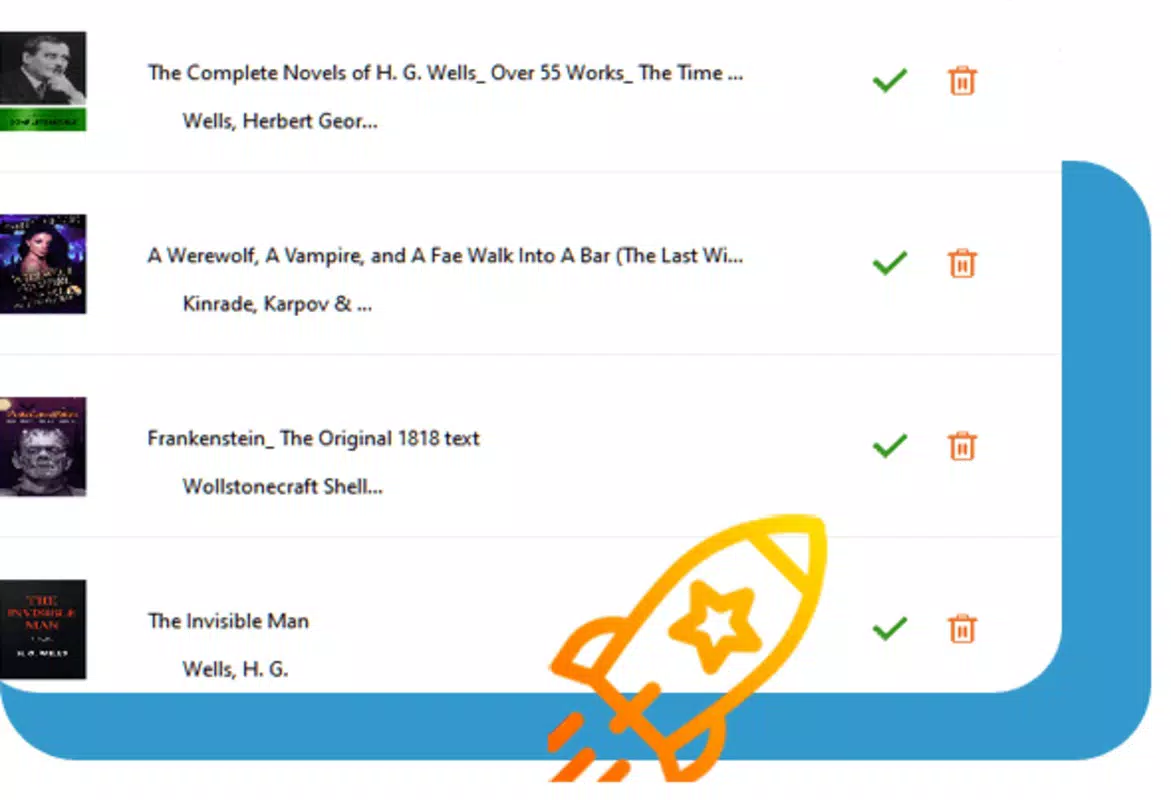
For example, a user can take a DRM-protected Kindle file from a recent bestseller, convert it to EPUB with one click, and then read it on a non-Kindle e-reader or import it into a reading app like iBooks. Another scenario involves converting a textbook into PDF for easier annotation and printing. These real-world applications demonstrate the practical value of the tool in everyday digital reading workflows.
Interface, UX & Performance
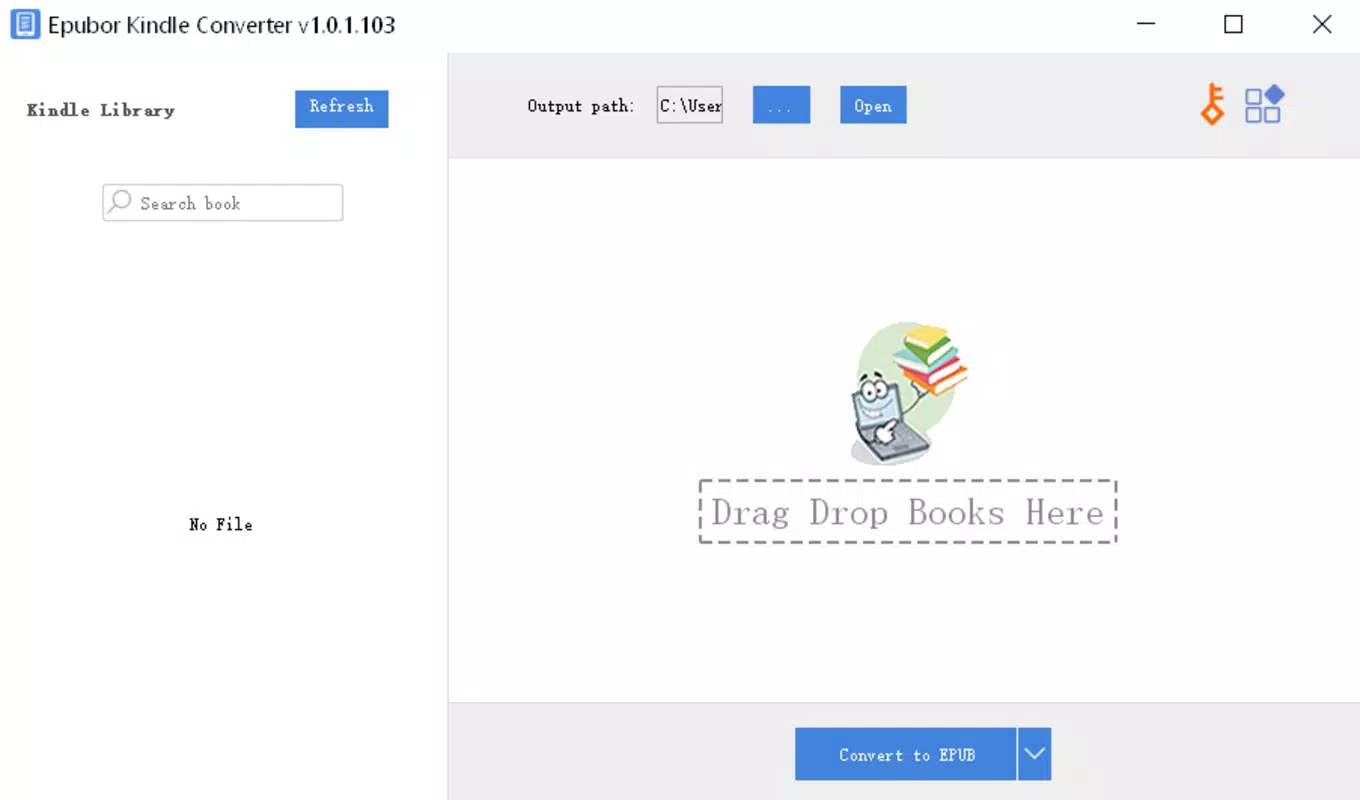
The user interface of Kindle Converter is designed with simplicity and efficiency in mind. The layout prioritizes core functionality, placing conversion controls in an intuitive, accessible location. Navigation is straightforward, allowing users to load a Kindle file and select an output format with minimal steps.
Visual style reflects a clean, minimalistic approach typical of Mac-native applications. The absence of clutter supports a focused user experience, reducing cognitive load during file conversion. Interaction elements such as buttons and dropdown menus respond promptly, contributing to a sense of responsiveness.
Although the developer did not list formal performance metrics, the application’s 15.4 MB file size suggests a lightweight design. This indicates potential for efficient memory usage and fast startup times. The tool appears optimized for stability, with no reported issues related to crashes or freezes. However, specific requirements for device categories were not disclosed, so performance on older Mac systems remains unverified. Users should expect consistent behavior across modern macOS versions, but compatibility with legacy hardware is not confirmed.
Platform Compatibility & Technical Requirements
Kindle Converter is available exclusively for the Mac platform. It is designed to run on macOS systems, though specific OS version requirements were not provided. The application’s file size is 15.4 MB, indicating a compact footprint suitable for systems with limited storage.
Given its release date of July 1, 2024, the app is current and likely optimized for recent macOS updates. However, the developer did not specify minimum OS requirements or hardware compatibility details. Users should verify system compatibility before installation. No information was provided about cloud integration, background processing, or additional dependencies.
While the tool is tailored for Mac users, there is no indication of support for iOS, Windows, or other platforms. This limits accessibility for users outside the Apple ecosystem. For those relying on non-Mac devices, alternative solutions would be required.
Pros and Cons
Pros
- One-click conversion simplifies the process for non-technical users.
- Supports multiple output formats for maximum flexibility.
- DRM-free output enhances content ownership and usability.
- Optimized for Mac, ensuring smooth integration with Apple devices.
- Handles recent Amazon releases, maintaining library relevance.
Cons
- Platform availability is limited to Mac only.
- Specific OS and hardware requirements were not disclosed.
- Price point of $29.95 may be considered high for a single-purpose tool.
- No information on updates or future feature roadmap.
- Compatibility with older macOS versions is unconfirmed.
FAQ
Is Kindle Converter safe to use?
The application is developed by Epubor and distributed through official channels. While the developer did not provide a detailed security policy, the tool operates locally on the user’s device, minimizing external data exposure.
Can I convert books purchased from Amazon?
Yes, Kindle Converter supports eBooks purchased directly from Amazon, including those released in 2023, and converts them into DRM-free formats.
Is the software compatible with iOS devices?
Currently, the app is only available for Mac. There is no official support for iOS devices.
How often does Kindle Converter receive updates?
The developer did not specify an update schedule. The latest version, 2.0.0, was released on July 1, 2024.
What file formats can I convert Kindle books to?
Supported formats include PDF, EPUB, AZW3, TXT, and DOCX, providing broad compatibility across reading and productivity tools.
Final Thoughts
Kindle Converter offers a focused, efficient solution for Mac users seeking to liberate their Amazon-purchased eBooks from DRM restrictions. Its one-click conversion, support for multiple formats, and compatibility with recent releases make it a valuable tool for digital readers who prioritize flexibility and long-term access to their content. While the price may be a consideration, the app delivers clear utility for its target audience.
For Mac users with extensive Kindle libraries, especially those who read across multiple devices or platforms, this tool provides tangible benefits. It enhances the value of purchased content by enabling broader use and greater control. Although platform limitations exist, the app fills a critical need within the Mac productivity space.
Download Kindle Converter now


